

हेलो दोस्तों, मैं आकाश।
अगर आपने हाल ही में internet पर cinematic AI videos देखे हैं — जैसे realistic scenes, smooth camera movement, movie जैसा look और कुछ ही seconds में बनने वाले creative clips — तो आपके मन में भी एक सवाल जरूर आया होगा:
“ये videos बनते कैसे हैं?”
पहले ऐसा लगता था कि इस तरह के videos बनाने के लिए high-level editing skill, expensive software और बहुत powerful computer चाहिए। लेकिन अब AI tools ने video creation को काफी आसान बना दिया है।
Google का नया Gemini Omni AI Video Feature इसी direction में एक बड़ा step है। इसकी मदद से आप सिर्फ एक idea या simple text prompt देकर AI video generate कर सकते हो।
मैं आपको इस guide में simple भाषा में बताऊँगा कि Gemini Omni क्या है, यह कैसे काम करता है, इसके नए AI video features से आप क्या-क्या बना सकते हो, और beginner होकर अपना पहला AI video कैसे बना सकते हो।
READE MORE:YouTube Create ऐप के Edit with AI Feature से Professional Viral Shorts कैसे बनाएं?
Table of Contents
Gemini Omni में क्या नया है?
देखो, Gemini Omni की सबसे अच्छी बात मुझे यह लगती है कि यह सिर्फ एक normal text-to-video tool नहीं है। मतलब ऐसा नहीं है कि आपने prompt लिखा, AI ने video बना दिया और बस काम खत्म।
यह उससे थोड़ा आगे की चीज़ लगती है।

पहले ज्यादातर AI video tools में क्या होता था?
आप prompt लिखते थे, video generate होता था, और अगर output अच्छा नहीं आया तो आपको फिर से prompt बदलकर regenerate करना पड़ता था। लेकिन Gemini Omni में Google video creation को ज्यादा आसान और practical बनाने की कोशिश कर रहा है।
इसमें आप सिर्फ text prompt ही नहीं, बल्कि image, audio और video reference भी use कर सकते हो। इससे AI आपके idea को ज्यादा अच्छे से समझ सकता है।
दूसरी अच्छी बात यह है कि इसमें conversation-based editing का concept है। यानी आप AI से simple language में बोल सकते हो — background बदल दो, scene को cinematic बना दो, character का look better कर दो या camera movement smooth कर दो।
Beginners के लिए यह बहुत useful हो सकता है, क्योंकि हर किसी को editing timeline, layers और effects समझ नहीं आते।
इसके अलावा Gemini Omni Google के ecosystem से जुड़ा है, इसलिए future में Gemini app, YouTube Shorts और Google Flow जैसे tools के साथ इसका use creators के लिए काफी powerful हो सकता है।
Beginner Gemini Omni से पहला AI Video कैसे बनाएं? मेरा Step-by-Step Workflow
Step 1: अपना Video Idea Clear करो
सबसे पहले यह decide करो कि आपको video किस topic पर बनाना है।
सिर्फ “AI video बनाना है” सोचने से अच्छा output नहीं आएगा।
आपको clear होना चाहिए कि video product demo, YouTube Short, cinematic scene, educational clip या image-to-video किस type का है।
Step 2: Video का Style और Mood Decide करो
अब video का look और feel decide करो।
Video realistic चाहिए या animated?
Mood emotional चाहिए या energetic?
Lighting dark चाहिए या bright?
Camera movement slow चाहिए या fast?
यही चीज़ आपके video को normal या cinematic बनाती है।
Example:
अगर आप लिखते हो cinematic, emotional, slow motion, soft lighting, तो video का feel ज्यादा premium आएगा।
Step 3: Simple और Clear Prompt लिखो
अब Gemini Omni को clear prompt दो।
Prompt लंबा होना जरूरी नहीं है, clear होना जरूरी है।
Simple formula याद रखो:
Subject + Action + Style + Mood + Camera + Background
Example Prompt:
“एक young Indian boy बारिश में empty street पर slowly walk कर रहा है, cinematic style, soft lighting, slow camera movement, realistic look, emotional mood.”
इस तरह AI को साफ direction मिलती है कि video कैसा बनाना है।
Step 4: Reference Image या Video Add करो
अगर आपके पास कोई image या video reference है, तो उसे जरूर add करो।
Reference से AI को character, product, background या style समझने में help मिलती है।
मान लो आपके पास किसी product की photo है, तो आप उसे reference देकर ad-style video बना सकते हो।
या किसी character की image है, तो उसे motion में ला सकते हो।
— reference देने से output आपके idea के ज्यादा close आता है।
Step 5: Video Generate करो
अब prompt और reference ready हैं, तो video generate करो।
पहला output perfect आए, यह जरूरी नहीं है।
कभी background अच्छा होगा, लेकिन camera movement weak होगा।
कभी character सही होगा, लेकिन lighting उतनी अच्छी नहीं होगी।
इसलिए first output को final मत मानो। पहले result देखो और समझो कि क्या improve करना है।
Step 6: Output को Edit और Improve करो
अब video को improve करो।
आप Gemini Omni से simple language में changes बोल सकते हो:
“Background को ज्यादा cinematic बनाओ.”
“Camera movement smooth करो.”
“Lighting को golden hour जैसा करो.”
“Character का expression natural करो.”
“Scene को ज्यादा realistic बनाओ.”
— एक बार में बहुत सारे changes मत बोलो।
पहले एक-दो चीजें improve कराओ, फिर output देखो।
Gemini Omni दूसरे Text-to-Video AI Tools से बेहतर है?
Gemini Omni new Feature की वजह से normal text-to-video ai tools से ज्यादा practical और usefull लगता है।
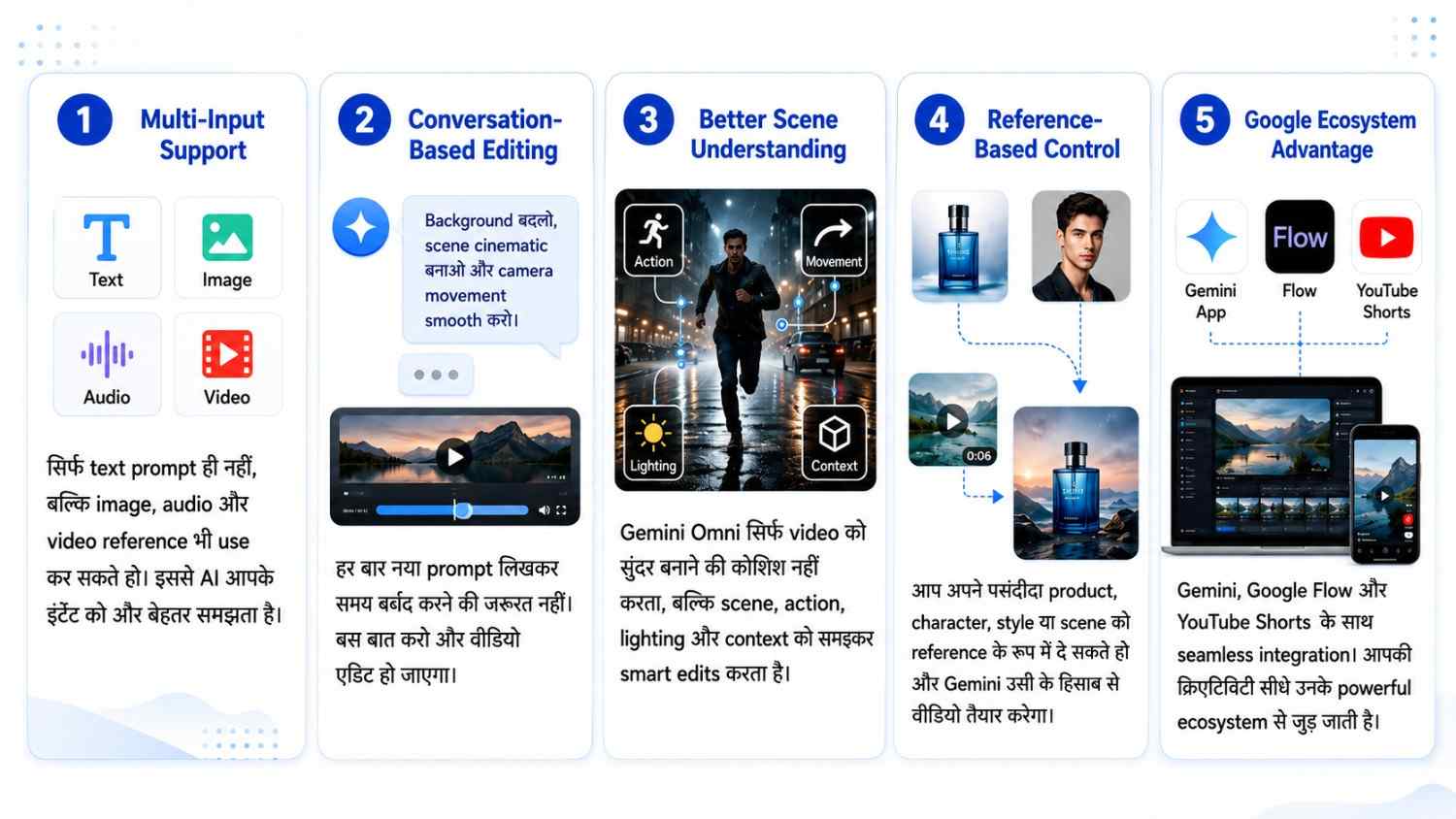
Multi-Input Support:
इसमें आप सिर्फ text prompt ही नहीं, बल्कि image, audio और video reference भी use कर सकते हो। इससे AI आपके idea को ज्यादा अच्छे से समझता है और output आपके concept के करीब आ सकता है।
Conversation-Based Editing:
अगर video में कुछ change करना है, तो हर बार नया prompt लिखकर regenerate करने की जरूरत नहीं पड़ती। आप simple language में बोल सकते हो — background बदलो, scene cinematic बनाओ या camera movement smooth करो।
Better Scene Understanding:
Gemini Omni scene को सिर्फ visually अच्छा बनाने की कोशिश नहीं करता, बल्कि action, movement, lighting और context को भी समझने की कोशिश करता है। इससे realistic और cinematic output मिलने के chances बढ़ जाते हैं।
Reference-Based Control:
अगर आपके पास product photo, character image या कोई old clip है, तो आप उसे reference की तरह use कर सकते हो। इससे beginner को prompt guess करने में कम confusion होता है।
Google Ecosystem Advantage:
Gemini Omni Google के Gemini app, Flow और YouTube Shorts जैसे tools से जुड़ सकता है, इसलिए creators के लिए पूरा workflow आसान हो सकता है।
Final Verdict:
Gemini Omni सिर्फ video generate करने वाला tool नहीं है, बल्कि यह आपके idea को समझकर video को edit और improve करने में भी help कर सकता है। यही चीज़ इसे beginners के लिए ज्यादा useful बनाती है।

नमस्ते दोस्तों, मैं आकाश हूँ, AI With Me का founder।
AI With Me एक technology blog है, जहाँ मैं Artificial Intelligence, AI tools, online earning ideas, digital marketing, blogging tips और latest tech updates को आसान भाषा में समझाने की कोशिश करता हूँ।
मेरा मकसद simple है — tech और AI से जुड़ी जानकारी को इतना आसान बनाना कि beginner भी उसे समझ सके और अपने काम, study, content creation या online growth में सही तरीके से use कर सके।