

क्या आपके साथ भी ऐसा होता है कि email या message का reply लिखते time दिमाग blank हो जाता है?
बात आपको पता होती है।
क्या जवाब देना है, ये भी समझ आता है।
लेकिन problem ये आती है कि उसे सही words में कैसे लिखें।

कभी client को reply देना होता है।
कभी boss को email लिखना होता है।
कभी LinkedIn पर किसी professional को message करना होता है।
और अंदर से बस यही doubt आता है — “कहीं मेरा reply ज्यादा casual तो नहीं लगेगा? सामने वाले को rude तो नहीं लगेगा? क्या ये professional दिखेगा?”
Table of Contents
Jetwriter AI क्या है?
Simple words में समझो, Jetwriter AI एक AI writing assistant है जो browser में काम करता है।
आप इसे ऐसे समझो जैसे आपके पास एक छोटा writing helper हो, जो आपके rough idea को साफ, clear और professional reply में बदलने में help करता है।
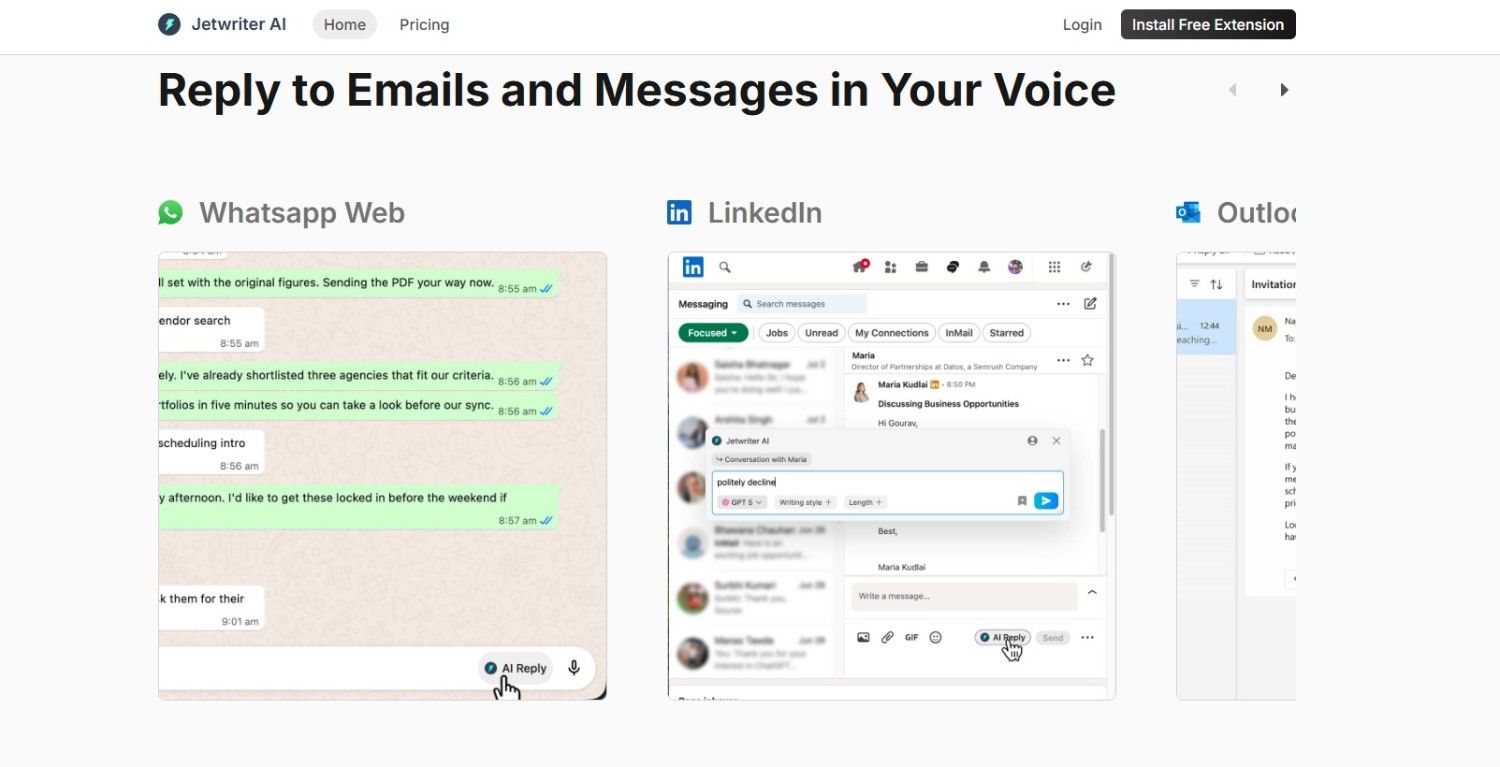
मान लो आपको किसी email का reply देना है।
आपके मन में बात है, लेकिन wording सही नहीं बन रही।
ऐसे में Jetwriter AI आपकी बात को बेहतर तरीके से लिखने में help कर सकता है।
Beginners के लिए Jetwriter AI क्यों काम का है?
मेरे हिसाब से beginners की सबसे बड़ी problem यह नहीं होती कि उन्हें जवाब नहीं पता।
Problem यह होती है कि वे जवाब को confidence के साथ लिख नहीं पाते।
Example देखो।
Client पूछता है:
“Can you send me the project update?”
Beginner reply कर सकता है:
“Work is going on. I will send.”
अब ये reply गलत नहीं है। लेकिन थोड़ा weak लगता है।
Better reply ऐसा हो सकता है:
“Hi, the work is in progress. I’m currently finalizing the main part and will share the update with you soon.”
बात वही है। लेकिन reply ज्यादा clear और professional लग रहा है।
यहीं पर Jetwriter AI काम आता है।
यह आपके simple thought को better reply में बदलने में help कर सकता है।
Email reply लिखने में Jetwriter AI कैसे help करता है?
Email reply लिखना आसान लगता है, लेकिन असल में इसमें tone बहुत matter करती है।
कभी आपको polite reply देना होता है।
कभी formal reply चाहिए होता है।
कभी apology email लिखना पड़ता है।
कभी client को delay समझाना होता है।
कभी boss को respectful mail भेजनी होती है।
अब अगर आप हर बार खुद से सही wording सोचते रहोगे, तो time भी लगेगा और confusion भी होगा।
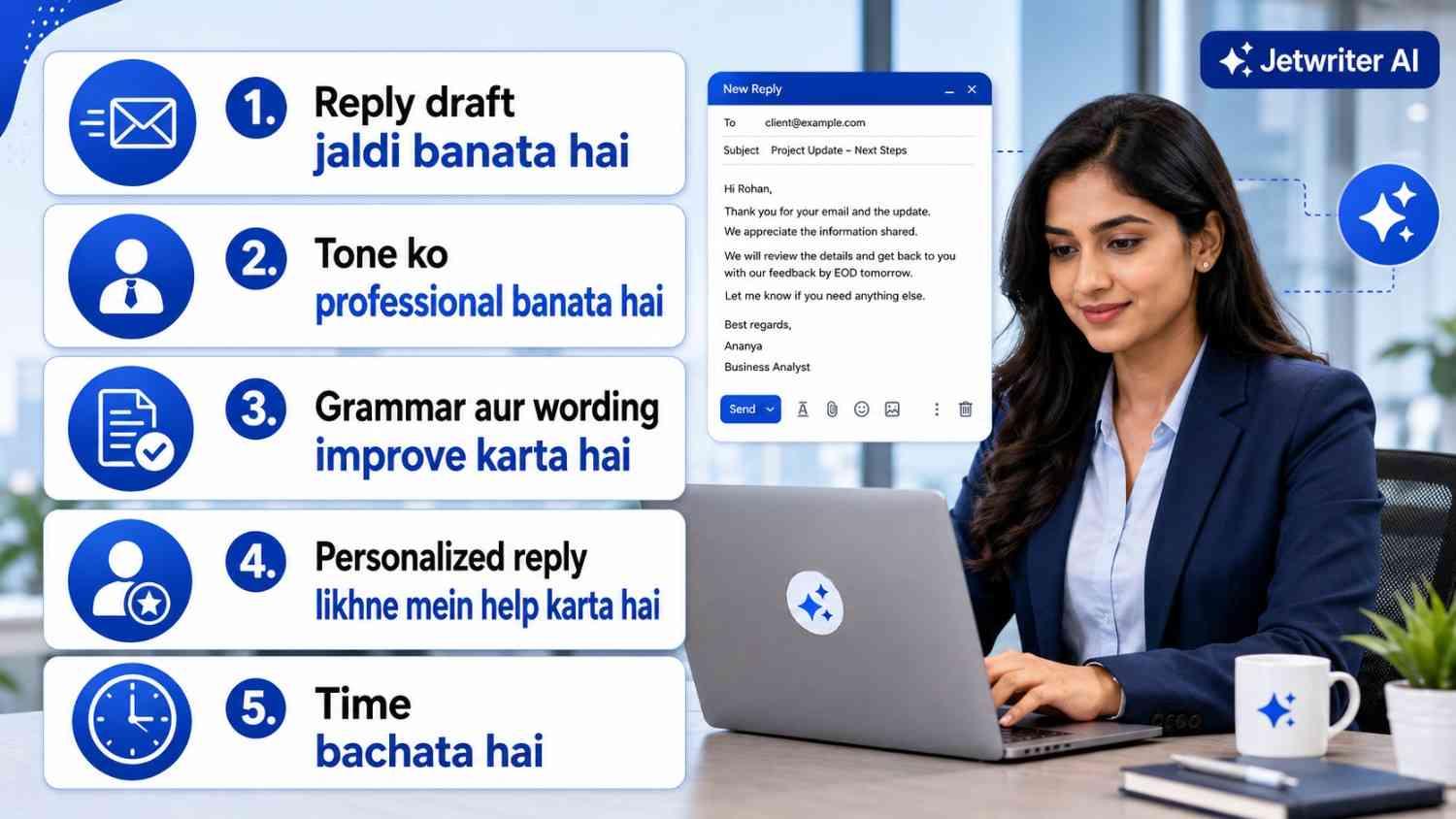
Jetwriter AI यहां आपकी help कर सकता है। आप उसे बता सकते हो कि आपको किस तरह का reply चाहिए।
Example
मान लो आपको teacher को assignment late submit करने के लिए email लिखना है।
आप prompt दे सकते हो:
“Write a polite email to my teacher saying I need one extra day to submit the assignment.”
अब Jetwriter AI आपको एक basic email draft दे देगा।
लेकिन मेरी practical advice ये है —
AI से आया हुआ email direct send मत करो।
उसमें अपना नाम, assignment का topic और real reason add करो।
यही छोटा सा personal touch email को natural बनाता है।
Messages लिखने में Jetwriter AI का use
आज सिर्फ email ही important नहीं है। WhatsApp Web, LinkedIn, Slack, Outlook और customer support messages भी उतने ही important हैं।
अगर आप employee हो, freelancer हो, blogger हो या online earning start कर रहे हो, तो आपके messages आपकी image बनाते हैं।
कई बार लोग skill में अच्छे होते हैं, लेकिन reply इतना dry भेजते हैं कि सामने वाले को trust नहीं आता।
Example देखो।
Client message करता है:
“Price kitna hoga?”
Weak reply:
“5000.”
अब ये reply सीधा है, लेकिन थोड़ा अधूरा लगता है।
Better reply:
“Hi, इस काम की basic pricing ₹5000 से start होती है। Final price आपके exact requirements पर depend करेगा. आप details भेज दो, मैं आपको clear estimate बता दूंगा.”
अब देखो, same बात है।
लेकिन दूसरे reply में clarity भी है, confidence भी है और सामने वाले को next step भी समझ आ रहा है।
यही फर्क communication में बड़ा impact डालता है।
Corporate Employees Jetwriter AI का use कैसे कर सकते हैं?
अगर आप corporate job में हो, तो Jetwriter AI आपके लिए काफी practical tool बन सकता है। क्योंकि office में सिर्फ काम करना ही काफी नहीं होता, सही तरीके से communicate करना भी बहुत जरूरी होता है।
बात ये है — corporate life में आपका reply आपकी image बनाता है।
Jetwriter AI corporate employees को इन कामों में help कर सकता है:
- Manager को professional email reply लिखने में
- Client को clear और polite response देने में
- Meeting follow-up message बनाने में
- Leave request या work update लिखने में
- Long email को short और clear बनाने में
- Grammar और tone improve करने में
- Formal message को ज्यादा simple और readable बनाने में
Example
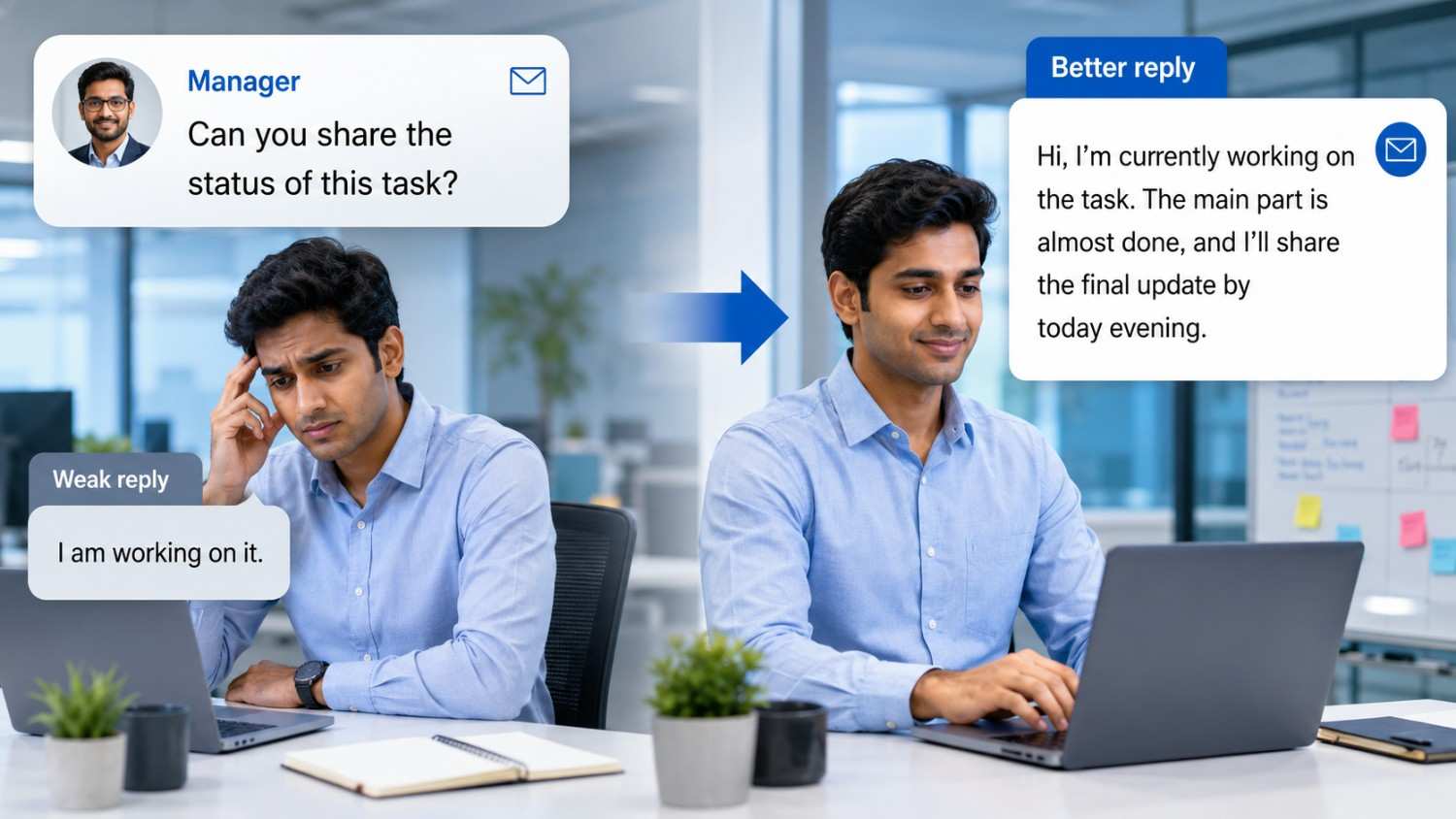
मान लो manager ने पूछा:
“Can you share the status of this task?”
Weak reply:
“I am working on it.”
Better reply:
“Hi, I’m currently working on the task. The main part is almost done, and I’ll share the final update by today evening.”
अब देखो, बात वही है। लेकिन दूसरे reply में clarity भी है, confidence भी है और timeline भी साफ है।
Corporate employees के लिए my tip
Office में AI से लिखा हुआ reply direct send मत करो। पहले उसे पढ़ो और check करो कि tone आपके workplace के हिसाब से सही है या नहीं।
Jetwriter AI use करने का step by step तरीका
Step 1: Extension install करो
सबसे पहले Jetwriter AI extension install करो।
Install करने से पहले official page, reviews और permissions जरूर check करो।
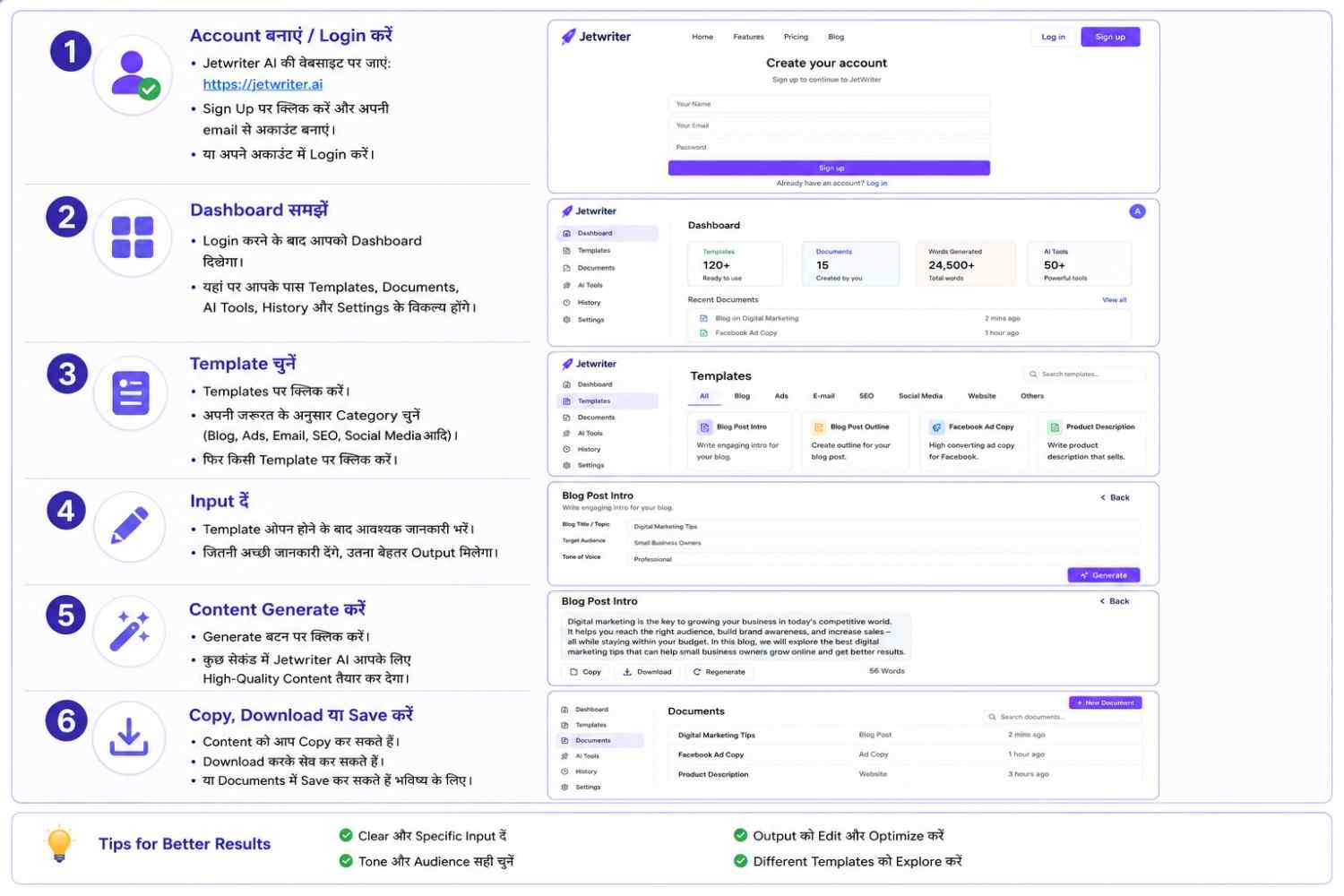
Step 2: Gmail या message platform open करो
जहाँ reply देना है, वह platform open करो।
जैसे Gmail, LinkedIn या WhatsApp Web।
Step 3: Clear prompt लिखो
AI को vague instruction मत दो।
Weak prompt:
“Reply likho.”
Better prompt:
“Write a polite reply saying I received the email and will send the details by tomorrow.”
Clear prompt doge, तो output भी better मिलेगा।
Step 4: Tone बताओ
Reply कैसा चाहिए, ये साफ बताओ।
जैसे:
- Friendly tone
- Professional tone
- Short reply
- Polite reply
- Confident tone
- Hindi/Hinglish reply
Step 5: Output को edit करो
AI output को final मत मानो।
पहले पढ़ो।
Extra lines हटाओ।
अपनी real situation add करो।
फिर send करो।
Jetwriter AI use करते time ये mistakes avoid करो
1. बिना पढ़े reply send करना
यह सबसे common mistake है।
AI कभी-कभी extra या generic line add कर सकता है।
2. हर जगह same tone use करना
Teacher, client, friend और customer — सबको same style में reply नहीं किया जाता।
3. Personal data blindly share करना
Email और message tools use करते time permissions ध्यान से check करो।
READ MORE:AI Agent बनाकर Online पैसे कैसे कमाएं? Beginners के लिए Practical Earning Idea
Jetwriter AI किन लोगों के लिए best है?
Jetwriter AI उन लोगों के लिए ज्यादा useful है जिन्हें रोज online communication करना पड़ता है।
यह खासकर helpful हो सकता है:
- Students
- Freelancers
- Corporate Employees
- Bloggers
- Job seekers
- Small business owners
- Customer support वाले लोग
Jetwriter AI Basic vs Pro — Comparison Chart
| Point | Basic / Free Plan | Pro / Paid Plan |
|---|---|---|
| किसके लिए सही है | Students और beginners | Freelancers, corporate employees |
| Use case | कभी-कभी email/message reply | Daily professional replies |
| Reply quality | Simple reply | ज्यादा polished और professional reply |
| Limits | Limited responses | ज्यादा responses / plan के हिसाब से unlimited |
| Features | Basic writing help | Advanced writing और better tone |
| Best use | सीखने और try करने के लिए | Serious work और client communication के लिए |
| Price | Free try | Paid plan |
Conclusion
Jetwriter AI, यानी पहले वाला ChatGPT Writer, उन लोगों के लिए useful tool है जिन्हें email और message reply लिखने में confidence कम आता है।
AI आपकी मदद कर सकता है, आपकी आवाज़ replace नहीं कर सकता।
Tool से reply बनाओ।
उसे समझो।
अपनी line add करो।
और फिर confidence के साथ send करो।
यही smart तरीका है Jetwriter AI use करने का।

नमस्ते दोस्तों, मैं आकाश हूँ, AI With Me का founder।
AI With Me एक technology blog है, जहाँ मैं Artificial Intelligence, AI tools, online earning ideas, digital marketing, blogging tips और latest tech updates को आसान भाषा में समझाने की कोशिश करता हूँ।
मेरा मकसद simple है — tech और AI से जुड़ी जानकारी को इतना आसान बनाना कि beginner भी उसे समझ सके और अपने काम, study, content creation या online growth में सही तरीके से use कर सके।